
WordPress maintenance
WordPress maintenance that keeps your site healthy
I update WordPress, your plugins and your theme every week, keep an eye on whether your site is up and report back once a month. You get on with your work, and your site stays secure and up to date.
Plans
Choose the maintenance your site needs
Maintenance Basic
Fits a site that just needs to stay in shape.
- Weekly updates
- Security updates as soon as possible
- Uptime monitoring
- Support at normal priority
Upkeep Plus
Fits a site your business relies on.
+ €10.00 setup fee
+ €10.00 setup fee
- Everything in Basic
- Monthly check by an expert
- Support at high priority
- Changes at a fixed hourly rate
Maintenance Custom
Fits several sites or a large online store.
- Several sites looked after under one agreement
- Checks and support priority to fit your needs
- Everything in Upkeep Plus
After your order I take your site into my care. Moving it to me is free, and the site can stay with your current host.
Prices excl. VAT
Compare the plans
Scroll the table sideways to see every plan.
| Feature | Basic | Plus | Custom |
|---|---|---|---|
| Weekly updates | Included | Included | Included |
| Security updates as soon as possible | Included | Included | Included |
| Uptime monitoring | Included | Included | Included |
| Monthly check by an expert | Not included | Included | Included |
| Support priority | Normal | High | Custom |
| Changes | Hourly, agreed | Fixed hourly rate | Custom |
| Monthly security scan | Included | Included | Included |
| Monthly maintenance report | Included | Included | Included |
| AI change monitoring | Included | Included | Included |
| Automatic rollback if an update breaks the site | Included | Included | Included |
| Works with your current host | Included | Included | Included |
| Free move into my care | Included | Included | Included |
| Price | €191.40 / yr€15.95 / mo | €323.40 / yr€26.95 / mo | By quote |
| Order | Order Maintenance BasicOrder Maintenance Basic | Order Upkeep PlusOrder Upkeep Plus | Start here |
What does WordPress maintenance include?
I update the WordPress core, your plugins and your theme weekly, and install security updates as soon as possible after they come out. I run a security scan monthly, uptime monitoring alerts me to outages, and AI monitoring notices when something on the site changes significantly. Once a month you get a report on what was done and found.
Who is it for?
Businesses with a WordPress site that would rather spend time on their own work than on updates. Your site can stay with its current host, and backups are part of maintenance when that host lets me use my backup tools. It also pairs naturally with Managed WP, where I run the server.
How do the plans differ?
Updates, security scans, uptime monitoring, AI monitoring and the monthly report are the same in every plan. Upkeep Plus adds a monthly check where I go through your site myself, and your support requests get higher priority. On Upkeep Plus, changes to your site come at a fixed hourly rate. You see the price of each plan above.
How do I get started?
Order a plan on this page or get in touch, and I take your site under maintenance. Bringing your current WordPress site into my maintenance is free, and if you like, I can move it to my web hosting or Managed WP at the same time.
Features
Everything your site needs to stay healthy
Updates every week
WordPress core, plugins and theme are updated weekly, and I install security updates as soon as possible after release.
Security scans
I scan your site once a month and tell you if it has any risks.
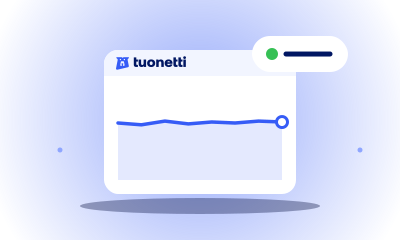
Uptime monitoring
Monitoring checks automatically that your site responds and alerts me if it stops.
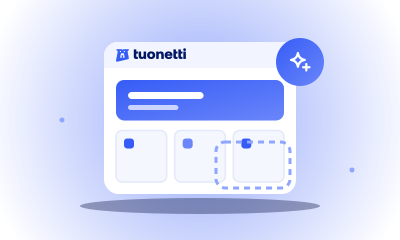
AI monitoring
AI notices significant changes on your site, such as a layout broken by an update.
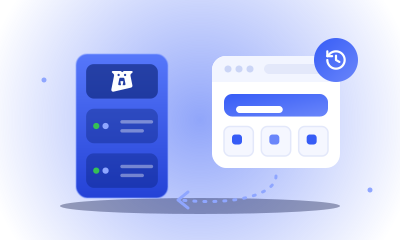
Backup and restore
If an update breaks your site, it is restored from a backup automatically, and we agree on the fix together.

A report every month
The monthly report shows what was updated, whether there were outages and what the security scan found.
The facts
Maintenance that forgets nothing
52
update rounds a year, with security updates as soon as possible
12
security scans and reports a year
10 min
to fix a typical fault
€0
to bring your current WordPress site into my maintenance

Case study
Keeping Suomen Vahvin's site in shape
On Suomen Vahvin's anniversary-season site every change goes through a test copy first, and restoring the backups has been tested. This is how I maintain a site that matters to the business.
Read Suomen Vahvin's story
What you get
Updates, monitoring and security in one plan
Your site stays up to date without you having to remember a single update. Uptime monitoring alerts me if your site stops responding, and the security scan tells you about any risks on the site. The monthly report shows what was done.
See the plans
Under the hood
What happens to your site every week
Once a week I update the WordPress core, your plugins and your theme, but security updates do not wait for the weekly round: I install them as soon as possible after release. Uptime monitoring checks automatically that the site responds and alerts me if it stops. AI monitoring notices significant changes on the site, so a layout broken by an update does not go unseen. Once a month I run a security scan and put together a report on updates, outages and findings, and on Upkeep Plus I go through the site with my own eyes as well. If an update still breaks something, the site rolls back to a backup automatically, and we agree on the fix together.
- WordPress core
- Plugins and themes
- Uptime monitoring
- AI change monitoring
- Security scans
Frequently asked questions
How often are updates done?
Usually once a week, when the WordPress core, plugins and theme are all updated in the same round. Security updates go in as soon as possible after release, so they never wait for the next round.
What if an update breaks my site?
Plugins and themes made by others can sometimes break a site when they update. Then the site is rolled back to a backup automatically, I tell you what happened, and we agree on the fix. The fix is normally part of maintenance, but a larger rework caused by outdated plugins or abandoned software is not. The maintenance agreement sets out who is responsible for what.
Are content changes included?
No. Maintenance covers the technical updates and monitoring. Changes to images, text and other content can be ordered separately at an hourly rate, and on Upkeep Plus the hourly rate is fixed. Development work that needs coding is not part of these changes.
Do you monitor whether my site is up?
Yes. Uptime monitoring checks automatically that your site responds. If it goes down, I get an alert and respond quickly. Any outages also show in the monthly report.
What does the monthly report tell me?
Once a month you get a clear, easy-to-understand report on what was updated on your site, whether it had any outages and what the security scan found.
How is maintenance different from Managed WP?
Managed WP is hosting: I manage the server, its backups and its security. WordPress maintenance looks after the site itself, meaning the updates, monitoring and reporting. They work well together, and with both in my hands, one person knows your site from the server to the content.
Pick a plan, or ask me first.
 I answer myself, usually within two hours. You can also send a message through the contact form.