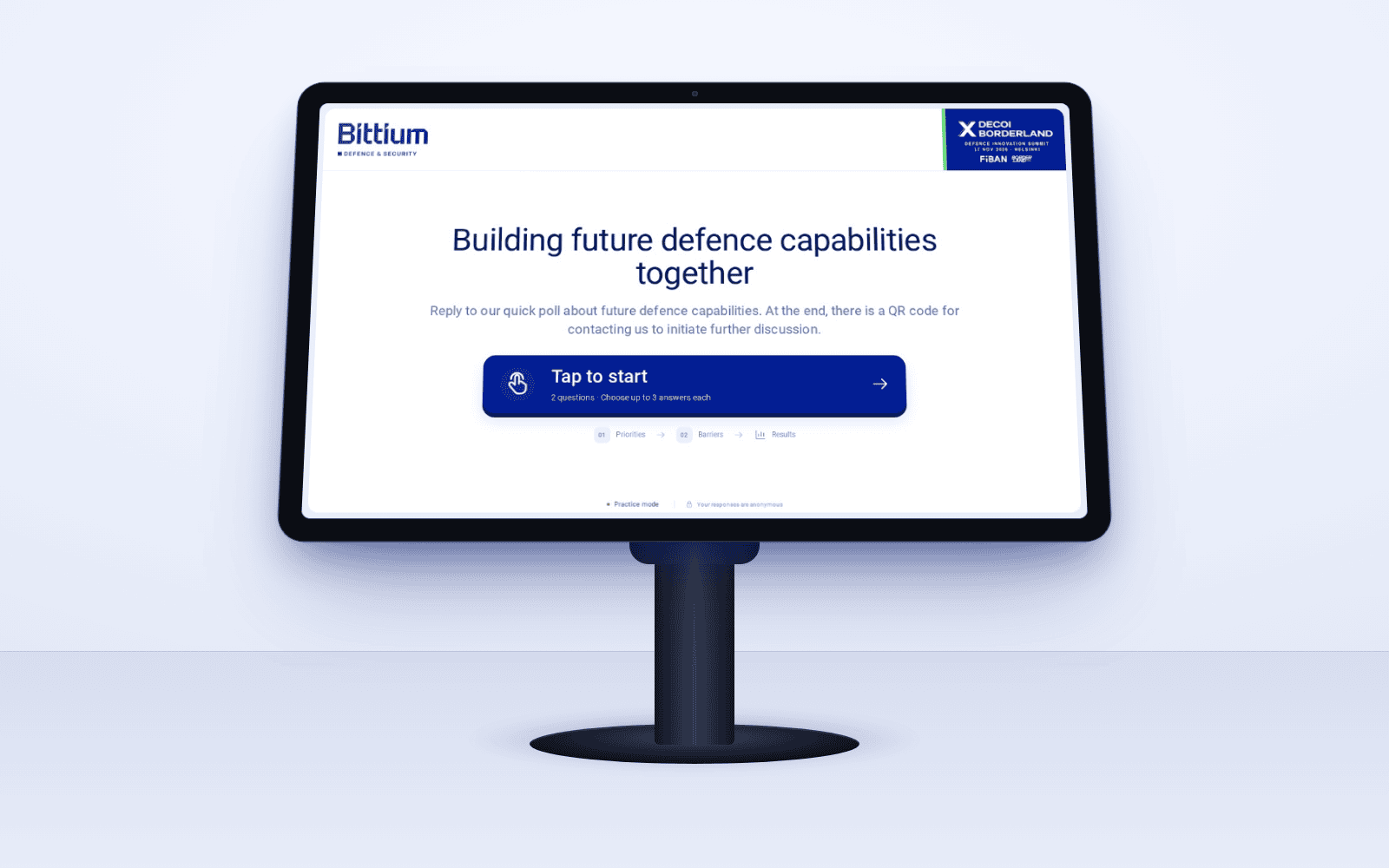
Bittium is a Finnish defence and security technology company. For Bittium Defence & Security’s stand at the DECOI × Borderland defence innovation summit in Helsinki, we made a touchscreen poll that collects visitors’ views on the future of defence and shows the results straight away. I designed and built the app from start to finish.
The summit took place on 17 November 2026. This story tells how the poll was made to work in the bustle of an event, without an internet connection and without anyone having to guide the people answering.
Two questions, with the answers on screen at once
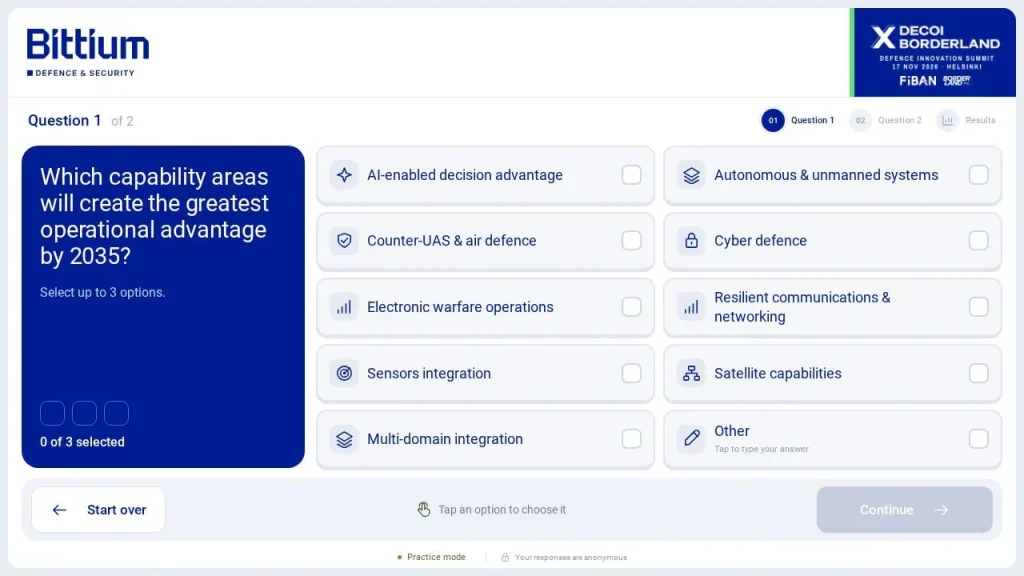
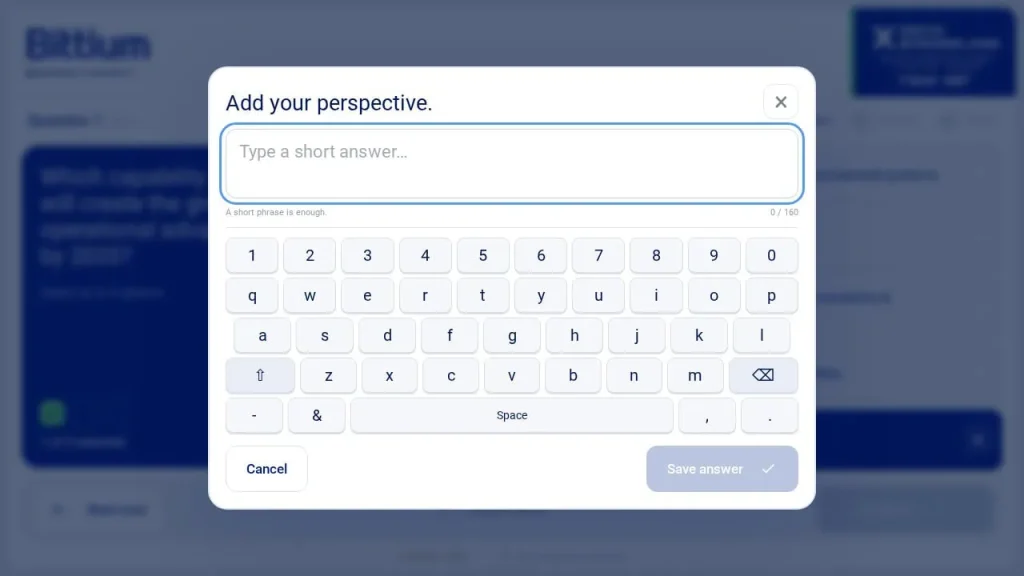
Bittium wanted to ask visitors two things: which capability areas will create the greatest operational advantage by 2035, and what the biggest barriers are to turning defence innovation into operational capability. The first question has ten options and the second eight, and each takes one to three choices. “Other” opens a text field and a touchscreen keyboard for an answer of one’s own.
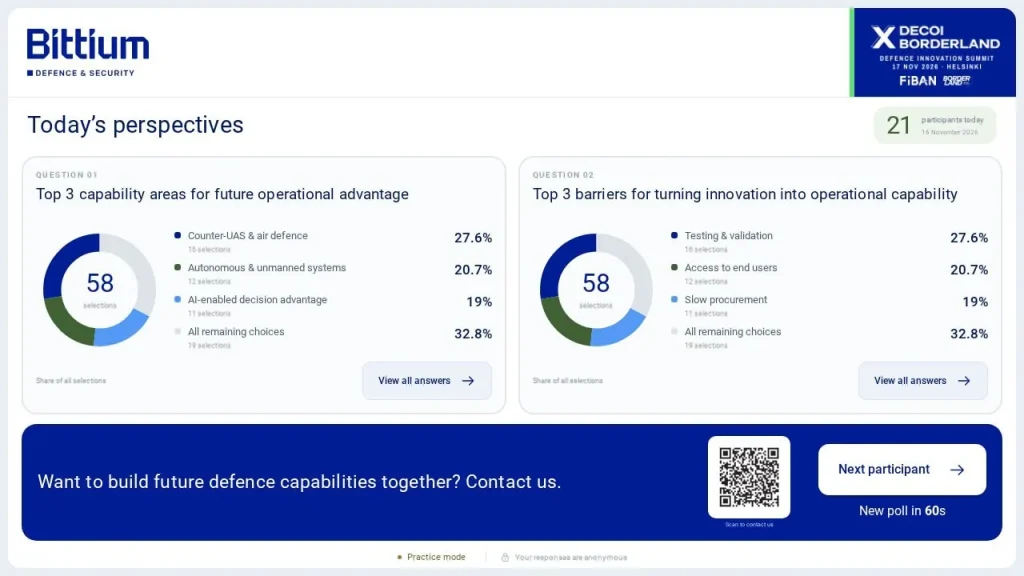
When the second question is sent, the results of both questions appear at once as doughnut charts. The three most chosen options are named and the rest combined, and every answer opens with one tap. The same screen has a QR code that opens Bittium’s contact form on the visitor’s own phone, so the poll also works as a conversation starter.
Made for a touchscreen and an exhibition hall
The view fills the whole screen: a large start button, clear answer tiles with check marks and a fixed action bar at the bottom. Every option fits on screen without scrolling on both 1280 × 720 and 1920 × 1080 displays, and on a portrait screen the results stack. If someone walks away mid-poll, it clears itself after 90 seconds, with the last ten seconds shown as a warning. The results screen returns to the start after a minute, ready for the next visitor.
Works without an internet connection
An exhibition hall’s network is not something to rely on, so the app needs no internet at all. The delivered package contains everything: the app, its runtime and its database. Answers are saved to a local database only once the whole answer is complete, and nothing is sent to cloud services. Written answers of one’s own never appear to the public, only in the staff’s reports.
A separate admin view for the staff
The event staff open a PIN-protected admin view. There they can switch between practice and live mode, so the device can be tested beforehand without practice answers mixing with real ones. The admin view gives the results and the individual answers as CSV files, and a backup of the database.
Delivered as a ready package
The app was delivered to the event organiser as a ready package for Windows, with a Finnish quick start and a three-page installation guide covering start-up, practice and live mode, backups and recovery. Before delivery, the app was checked with automated tests: 25 database and interface tests and 11 browser tests that go through the whole answer path.
The result
- Two questions, the results at once as doughnut charts, and a QR code for a follow-up conversation.
- Works on a touchscreen with no internet connection at all.
- Separate practice and live modes, results and backups for the staff.
- Delivered as a ready Windows package with Finnish instructions.